
Claim Your Business on Ocala Business Directory
If your business is already listed on OBD, claim it to manage your details, respond to reviews, and unlock business tools.
Most businesses are already listed. Claiming helps avoid duplicate listings.
Not Sure If You Should Claim or Add?
Choose the right path to avoid duplicate listings and get set up faster, whether you’re claiming an existing business or adding a new one.
Claim Listing
Your business is already listed if:
You can find it in OBD search
It appears in categories already
It has basic info but you don’t control it
Add Listing
Your business is already listed if:
Your business is not already listed on OBD
You are creating a brand new listing
Adding an additional business location
Search for Your Business
Enter your business name to locate your existing listing on the Ocala Business Directory and begin the claim process.
If you don’t see your business, double-check spelling or try a nearby address.
What Happens When You Claim a Listing
Take control of your business profile and manage everything from one place.
Verify Ownership
We confirm you represent the business before granting access.
Edit Your Listing
Update hours, services, photos, and contact details.
Respond to Reviews
Engage with customers and build trust.
Access Business Tools
Unlock OBD dashboards and premium features.
Ready to get started?
Claim Review & Approval
To keep OBD accurate and trustworthy, all claims are reviewed before approval to ensure only verified business owners can manage listings.
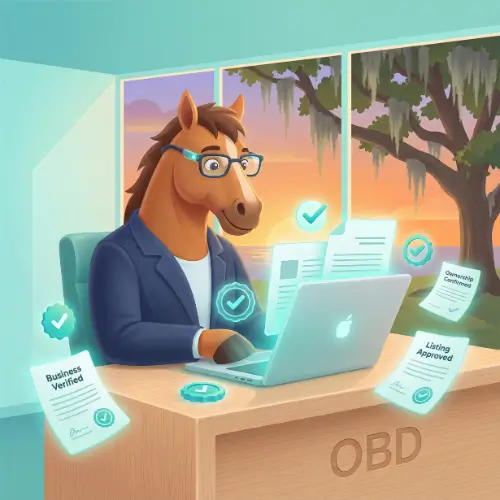
What to Expect After You Submit a Claim
To keep the Ocala Business Directory accurate and trustworthy for local customers, all business claims go through a quick verification process.
Here’s how it works:
-
Ownership verification required
We’ll ask you to confirm that you represent the business. This helps protect business owners from unauthorized changes and keeps listings accurate. -
Fast review process
Most claims are reviewed within 24–48 hours by our team to ensure everything checks out. -
Email confirmation once approved
As soon as your claim is approved, you’ll receive an email and can begin managing your listing from your business dashboard.
No contracts. No hidden fees. Just a simple process designed to protect your business and your customers.
Frequently Asked Questions About Claiming a Business
Quick answers to common questions about claiming and managing your listing on OBD.
Is claiming a business on OBD free?
Yes. Claiming your existing business listing on Ocala Business Directory is completely free. There are no contracts or hidden fees.
Why do I need to verify ownership?
Ownership verification helps protect business owners from unauthorized edits and ensures listings remain accurate and trustworthy for local customers.
How long does it take to approve a claim?
Most claims are reviewed within 24–48 hours. You’ll receive an email once your claim has been approved.
What if someone else already claimed my business?
If your business has already been claimed, don’t worry. Contact us and we’ll help verify ownership and resolve the issue.
What can I do after my claim is approved?
Once approved, you can:
-
Edit business details and hours
-
Upload photos and updates
-
Respond to customer reviews
-
Access OBD business tools and dashboards
Can I manage more than one business?
Yes. If you own or manage multiple businesses, you can claim and manage each listing from your dashboard.
Ready to Claim Your Business?
Take control of your business listing and connect with local customers in Ocala.
Don’t see your business? → Add a New Listing